
Charge by the hour with confidence. This free hourly price quote template is an editable Excel spreadsheet (.xlsx) that helps freelancers, consultants, contractors and small service businesses quote an hourly rate, estimated hours and the total cost of a job. Download it, enter your rate and hours and send a clear hourly rate quote to your customer within minutes.
What Is an Hourly Price Quote?
An hourly price quote is a written document that tells a customer how much you charge for each hour of work, how many hours you expect the job to take and what the estimated total will be. It is common for services where the size of the job can change, such as consulting, graphic design, web development, tutoring, cleaning, repairs, photography and IT support. Instead of committing to one fixed number, you commit to a rate and give the client a realistic range.
Hourly Rate vs. Fixed Price Quote
Choosing between hourly and fixed pricing is one of the biggest decisions a service provider makes. A fixed price gives the client certainty, but it puts the risk of extra work on you. Hourly pricing protects you when the scope is uncertain, because you are paid for the time you actually spend. Many professionals combine both: they give an estimated number of hours for budgeting and bill against the hourly rate, with a promise to warn the client if the estimate is about to be exceeded.
When to Use Hourly Pricing
Hourly quotes work best for ongoing support, projects with unclear requirements, work that depends on client feedback, emergency call-outs and jobs where materials are minor compared with labor. If the deliverable is precisely defined and repeatable, a fixed price may serve you better. Whichever you choose, put the pricing model in writing so both sides agree from the start.
What to Include in an Hourly Price Quote
- Business and client details: names, addresses, phone numbers and email addresses.
- Quote number and date: helpful for tracking and for later invoices.
- Service description: what you will do and what is not included.
- Hourly rate: a clear amount per hour, and different rates if you offer several service levels.
- Estimated hours: a realistic figure or range for each task.
- Materials and expenses: parts, travel, software licenses or other costs billed separately.
- Overtime and rush fees: how evenings, weekends or urgent work are charged.
- Taxes and total: the subtotal, tax and the estimated final amount.
- Validity and payment terms: how long the quote stands and when payment is due.
How to Calculate Your Hourly Rate
Start with the income you need, then add business costs such as software, equipment, insurance, marketing and taxes. Divide the total by the number of hours you can realistically bill in a year. Remember that you cannot bill every working hour, because administration, sales and training also take time. A simple check is to compare the rate you calculate with what similar professionals charge in your market and adjust for your experience and specialty.
How to Estimate the Number of Hours
Break the job into small tasks and estimate each one separately. Add a buffer for revisions, meetings and the unexpected, commonly ten to twenty percent depending on how uncertain the work is. If you have done similar jobs before, use your records as a guide. Share the estimate with the client as a range, for example twelve to fifteen hours, and explain that the final invoice reflects the time actually spent.
Tips for Better Hourly Quotes
Be transparent about how you track and bill time. Tell the client how often you will send updates and invoices. Set a limit, such as a maximum amount that will not be exceeded without approval. Offer a minimum billing increment, for example fifteen minutes, so short tasks are handled fairly. Finally, keep your quote easy to scan: aligned columns, consistent fonts and a clear total build trust before you have even started the work.
How to Use This Hourly Price Quote Template
Download the spreadsheet, open it in Microsoft Excel or a compatible program and save a copy for each customer. Enter your business information, the hourly rate and the estimated hours for each task. The totals calculate for you, so you can focus on the description of the work. When you are satisfied, print it or save it as a PDF and email it to the client. Keep the blank original as your master copy.
Download Hourly Price Quote Template
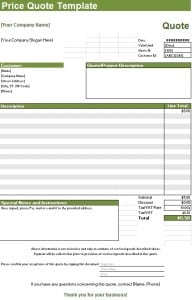

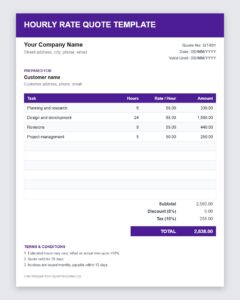
Download Free Hourly Rate Quote Template (Excel)
Frequently Asked Questions About Hourly Price Quotes
Is an hourly quote the same as an estimate?
Not exactly. An hourly quote states a firm rate per hour, while the total is an estimate because the hours may change. Make clear which parts are fixed and which are estimated.
How do I handle a job that takes longer than quoted?
Tell the client as soon as you see that the estimate will be exceeded, explain why and ask for approval before continuing. Early communication prevents disputes.
Should I put a maximum price on an hourly quote?
A cap, sometimes called a not-to-exceed amount, can reassure cautious clients. If you offer one, state exactly what happens if the scope changes.
Can I charge different rates for different tasks?
Yes. Many professionals charge more for specialist or urgent work. List each rate next to its task so the total is easy to verify.
Which programs open this template?
The file is a standard .xlsx workbook, so it opens in Microsoft Excel and in most spreadsheet programs that support the format.
Do I need to include tax on the quote?
If tax applies to your services, show it as a separate line so the client sees the subtotal, the tax and the final amount. Check your local rules if you are unsure.
