

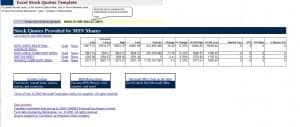
Track market prices at a glance. This free stock quote template is an Excel spreadsheet (.xls) for organizing the key figures of a stock quote, such as bid price, ask price, last traded price and volume, so you can monitor and report on the securities you follow. Download it, enter the data from your broker or data provider and keep a clean, readable stock quote sheet.
What Is a Stock Quote?
A stock quote is a snapshot of the trading information for a share at a particular moment. It usually shows the ticker symbol, the last traded price, the bid (the highest price a buyer will currently pay), the ask (the lowest price a seller will currently accept), the day’s high and low, the opening and closing prices, and the trading volume. Investors, analysts and students use quotes to follow the market, compare securities and make records of price movements.
Why Use a Stock Quote Template in Excel?
Trading platforms show live prices, but many people also keep their own records. A spreadsheet lets you list only the stocks you care about, add notes, calculate changes and keep a history you can review later. It is useful for personal watch lists, classroom projects, club portfolios and simple reports. A ready-made template saves you from building the layout and formulas yourself, so you can focus on the data.
Key Data Points in a Stock Quote
- Symbol and company name: identifies the security.
- Last price: the price of the most recent trade.
- Bid and ask: the best current buying and selling prices; the difference between them is called the spread.
- Change and percent change: how much the price has moved since the previous close.
- Open, high, low and close: the price range for the trading day.
- Volume: the number of shares traded.
- 52-week high and low: the yearly price range for context.
- Date and time: when the data was recorded, which is essential because prices change constantly.
How to Use the Template Step by Step
- Download and save a copy. Rename it, for example with the date or the name of your watch list.
- Add your securities. Type the ticker symbols and company names you want to follow.
- Enter the data. Copy the figures from your broker, exchange or market data provider and record the time.
- Calculate changes. Use simple formulas to compute the price change and percentage change.
- Review and save. Store a dated copy so you build a record over time.
Useful Excel Tips for Tracking Stocks
Use conditional formatting to color positive changes green and negative changes red, so movement is visible immediately. Freeze the header row so labels stay in view when the list grows. Keep one worksheet per month or per portfolio, and use consistent date formats. If you calculate percentages, remember that the change is the difference from the previous close divided by the previous close. Always note the source of your data so you can verify it later.
Important Notes About Market Data
Market data can be delayed, and different sources may show slightly different values. Use the template for record keeping and educational purposes, and confirm prices with your broker before making any decision. This page provides a spreadsheet layout only and is not investment advice. If you are unsure how to interpret a quote, speak to a licensed financial professional.
Who Can Use This Stock Quote Template?
Individual investors, students, finance instructors, investment clubs, bookkeepers and small business owners who hold securities can use this template. It works equally well for a small personal watch list and for a simple classroom exercise on reading market quotes.
Reading Bid, Ask and Spread in Practice
Imagine a share with a bid of 49.95 and an ask of 50.05. A buyer who wants to purchase immediately pays the ask, and a seller who wants to sell immediately receives the bid. The difference, 0.10, is the spread. Liquid stocks usually have narrow spreads, while thinly traded stocks have wider ones. Recording both values in your sheet helps you see how easily a stock trades, and the volume column adds context about how active it is. Figures here are only an illustration.
Download Free Stock Quote Template



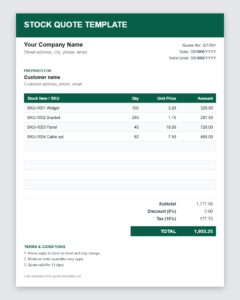
Available format: Microsoft Excel (.xlsx) Compatible with: Excel 2010, 2013, 2016, 2019, 2021, and Microsoft 365.
Download Free Stock Quote Template (Excel)

Frequently Asked Questions About Stock Quote Templates
What is a stock quote template?
It is a spreadsheet layout for recording the key details of a stock quote, such as bid, ask, last price and volume, so you can track and report on securities.
Does the template update prices automatically?
No. It is a static Excel sheet, so you enter the data yourself from your broker or data provider.
What is the difference between bid and ask?
The bid is the highest price buyers are currently willing to pay, and the ask is the lowest price sellers are currently willing to accept. The gap between them is the spread.
Which program opens this template?
It is an Excel file in the .xls format and opens in Microsoft Excel and most spreadsheet programs.
Is this template investment advice?
No. It is only a record-keeping layout. Always verify prices with your broker and consult a licensed professional before investing.
How often should I update my stock quote sheet?
That depends on your purpose. Traders may update several times a day, while long-term investors often update weekly or monthly.

