
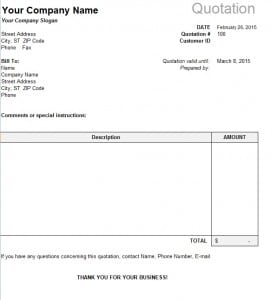
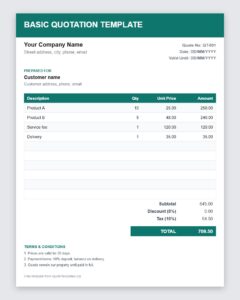
Need an example to follow? This sample quotation template shows how a clear, professional quotation is laid out, and you can edit it in Excel and reuse it for your own customers. Download it, replace the sample details with your business information and send a polished quotation in a few minutes.
What Is a Sample Quotation?
A sample quotation is a ready-made example of a price quotation that you can copy and adapt. It already contains the standard sections, such as company details, customer information, an itemized list of products or services, totals and terms, so you do not have to design the layout yourself. Beginners use samples to learn what a quotation should include, and experienced sellers use them to save time.
Why Use a Sample Quotation Template?
A well-structured sample helps you avoid missing important information, keeps your quotes consistent and makes your business look organized. It also reduces mistakes, because formulas in an Excel template can calculate line totals, discounts and taxes for you. When customers compare several suppliers, a clear quotation can help you stand out.
What a Good Quotation Should Contain
- Header: your company name, logo, address, phone and email, with the word Quotation clearly displayed.
- Quotation number and date: a unique reference and the date of issue.
- Customer details: name, company and address.
- Item list: description, quantity, unit price and amount for each product or service.
- Subtotal, discount and tax: shown on separate lines.
- Grand total: the final price the customer is asked to pay.
- Terms and conditions: payment terms, delivery time, warranty and cancellation policy.
- Validity period: the date until which the prices are valid.
- Acceptance line: a place for the customer to sign or confirm.
How to Turn the Sample Into Your Own Quotation
- Download and save a copy. Rename the file so you can identify it, for example with the customer’s name.
- Replace the header. Enter your business name, logo and contact information.
- Enter the customer’s details. Add the name, address and contact person.
- Edit the items. Overwrite the sample lines with your products or services, quantities and prices.
- Check the calculations. Make sure subtotals, discounts and taxes are correct.
- Update the terms. Adjust payment, delivery and validity terms to match your policy.
- Save and send. Print it or export it as a PDF to email to the customer.
Tips for Writing Effective Quotations
Use clear descriptions so the customer knows exactly what they are buying. Keep the design clean, with consistent fonts and aligned numbers. Mention benefits, such as warranty or free delivery, near the total. Send the quotation quickly, because fast responses often win the sale, and follow up politely a few days later. Keep a copy of every quotation you send and record whether it was accepted, so you can improve your pricing over time.
Common Mistakes to Avoid
Common mistakes include leaving out the validity date, mixing up quantities and prices, forgetting taxes or shipping, and using vague item descriptions. Sending the sample without removing placeholder text is another embarrassing error, so read the document carefully before sending it.
Who Can Use This Sample Quotation Template?
Small businesses, freelancers, contractors, wholesalers, retailers, agencies and students learning business documents can all use this template. Because it is an Excel file, you can add rows, change the currency and adapt the layout to your industry.
Sample Quotation Wording and Layout Ideas
When you adapt the sample, think about the order in which your customer reads. Start with a friendly line, such as: Thank you for your inquiry. We are pleased to offer the following quotation. Place the item table in the middle of the page, and highlight the grand total with bold text or a shaded cell. Below the total, add the terms in short sentences: Payment is due within fourteen days of invoice. Prices are valid until the date shown. Delivery takes five working days from order confirmation.
If you sell both products and services, use separate blocks for each so the customer can see what is being delivered and what is being performed. If you offer a discount, show it on its own line rather than adjusting the unit prices, because a visible discount is more persuasive. Finally, keep a numbered sequence of quotations, for example Q-0001, Q-0002 and so on, so you can find any quote quickly and match it to the invoice you send after the sale.
A sample is only a starting point. Read through your first finished quotation as if you were the customer and ask whether every line is clear. If something is unclear to you, it will be unclear to them, so rewrite it before you press send.
Download Sample Quotation Template

Download Free Basic Quotation Template (Excel)
Frequently Asked Questions About Sample Quotations
What is the purpose of a quotation?
A quotation tells a customer exactly what you will charge for specific goods or services and under what terms, so they can accept the offer or compare it with others.
Is this sample quotation template free?
Yes. You can download it, edit it and use it for your own business at no cost.
What is the difference between a quotation and an invoice?
A quotation is an offer made before the sale. An invoice is a request for payment issued after the goods or services are delivered.
How long should a quotation be valid?
Fifteen to thirty days is common. Use a shorter period if your prices can change quickly.
Which program opens this template?
It is an Excel spreadsheet, so it opens in Microsoft Excel and most spreadsheet programs that support the .xlsx format.
Can I add my logo to the template?
Yes. Insert your logo into the header area of the spreadsheet and save the file as your own master template.
